
Review the equipment and records before maintenance.
A workflow for reviewing a work order, technical document and selected signal around the same equipment.
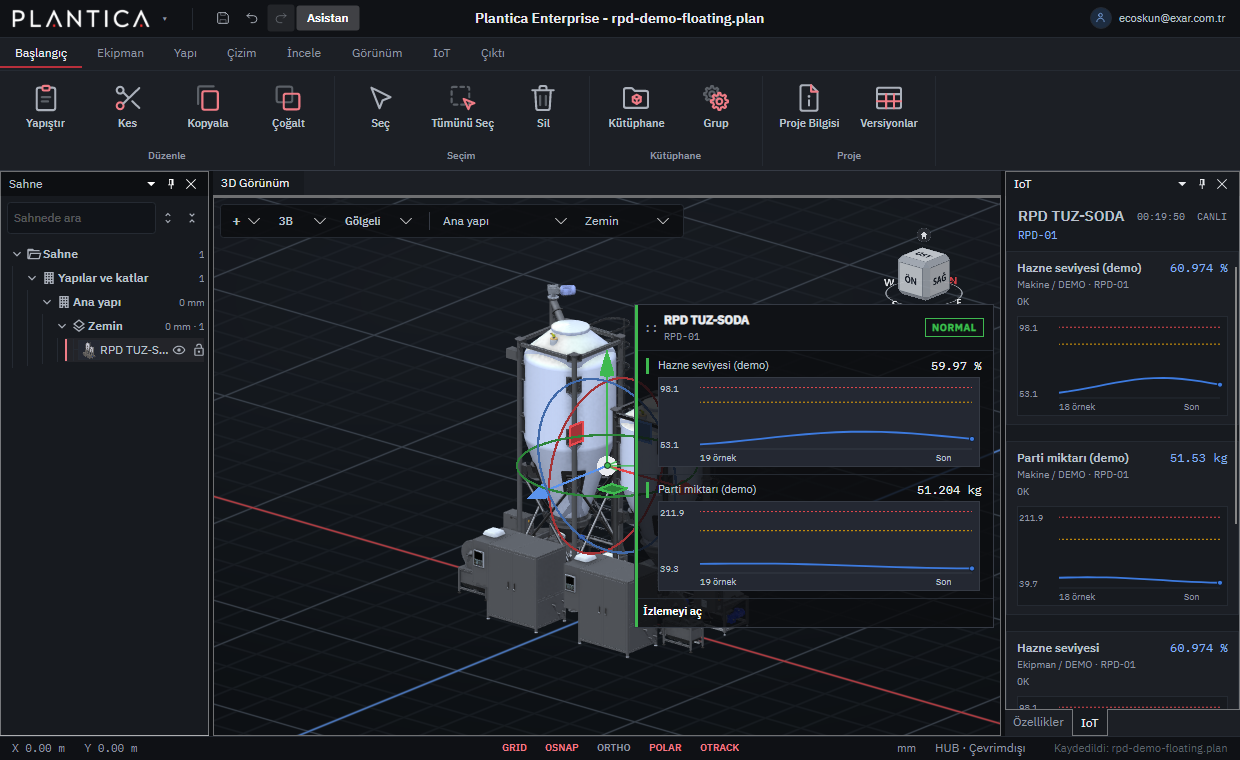
Hopper level and batch mass in a floating panel linked to the equipment. A demonstration running on Plantica’s simulation source.
Enlarge the floating panel ↗What question are we resolving?
The maintenance topic is known, but the equipment’s documents, records and physical location are in different places. The discussion needs the right asset and the information attached to it.
What to bring
Equipment identity, relevant technical documents and permitted maintenance records.
The workflow
Find the equipment
Select the asset in the facility model. Check that its physical location matches the record identity.
Open the relevant record
Open the work order and technical document from the selected equipment. Check the source and current revision.
Clarify the preparation
Discuss the surroundings and access needs. Complete execution decisions through the authorized team’s existing maintenance process.
Outputs
- A maintenance topic matched to the asset
- Linked document and record references
- Shared preparation for the site discussion
Document and maintenance-record connections depend on the source systems you use.
Let’s review your model.
Equipment identity, relevant technical documents and permitted maintenance records.